 Lisa
Companionship, with a connection to home
Lisa & Me
Good company.
A clearer picture of home.
A voice companion for everyday life. An optional window into the rooms that matter, using compatible phones you already own.
The person comes first
Still independent.
Less on their own.
Lisa starts with conversation, not a camera.
Talk about the day, remember the people who matter, and keep medicines and appointments organized. Lisa & Me is built around the senior's everyday life, with family connections that respect their choices.
Vision adds another kind of context when the household wants it. Use one room camera, several, or none at all.
A familiar voice
A simple place to talk, ask a question, or share what's on your mind.
The little things, together
Medicines, reminders and appointments, with details reviewed by the person using Lisa.
Your people, connected
Connect caregivers through the family portal. Safety-contact authorization, notification consent and camera permissions remain separate.
Introducing Lisa Vision
Your spare phone.
A window into home.
No dedicated camera purchase required. Give a compatible phone a useful second life in the kitchen, family room, living room or entryway.
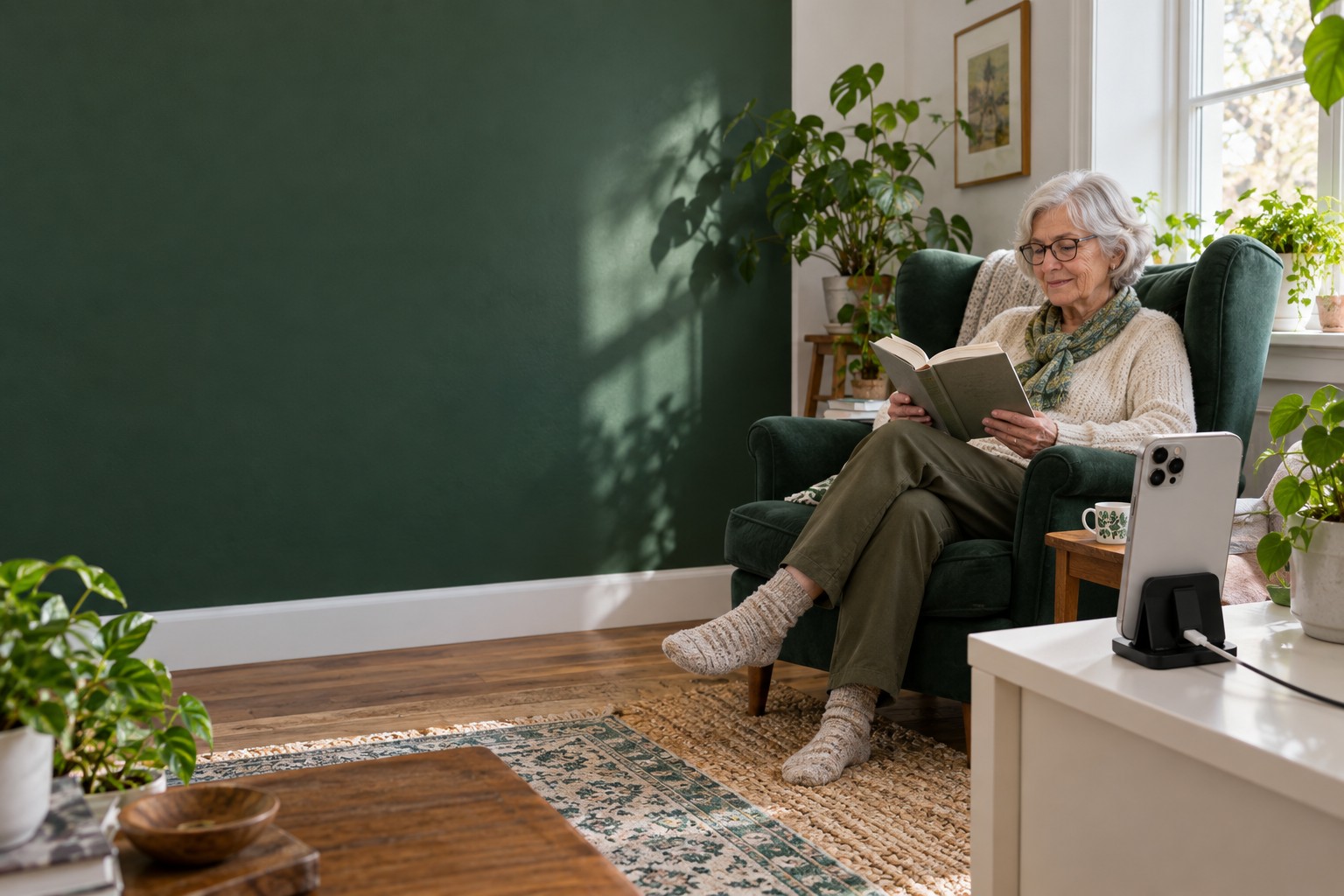
See the room live
Open a permitted live view in Lisa & Me. Expand the picture to full screen, in portrait or landscape.
Revisit an event
Review available recordings rather than relying on a generic motion alert. Recording support depends on the camera device and browser.
Read the context
AI-enriched descriptions help explain visible activity. They can be incomplete or mistaken; check the recording or live view before drawing conclusions.
Keep access intentional
Control room cameras, pause observation, use Privacy mode, or remove a camera. Sharing an event outside Lisa & Me requires an explicit authorized action.
Less guesswork
A room, a time and a view give more context than "motion detected."
Start with what you own
Try a spare phone before investing in new hardware.
Fit the household
Choose the shared spaces that make sense, with the senior's agreement.
Two phones. One simple connection.
Put your old phone
back to work.
Keep Lisa & Me on the phone you use. Set up Lisa Vision on a separate compatible phone in the room.
- 1
Check the camera phone
In Lisa & Me, open Vision → Add → Check your camera device. Enter the spare phone's model and operating-system version.
- 2
Choose its camera route
Use the native Lisa Vision app when available for that device. Otherwise, try the browser camera at webcam.lisaandme.com and run its camera test.
- 3
Scan the room's QR code
Choose a room in Lisa & Me and generate its pairing QR code. Scan it with the camera phone to connect that room to your Lisa household.
- 4
Position, power and test
Place the phone securely, connect power and check Wi-Fi. Verify the live view and a new event before relying on the setup.
Not every old phone will work. Camera, browser, operating-system and recording support vary. Browser cameras need the page open in the foreground and the phone awake. A locked screen, lost connection or closed app can interrupt coverage.
More context. Not false certainty.
A thoughtful check-in
starts with a better question.
Vision gives the household a way to see and review activity. It is not proof that someone is safe or in danger.
We are validating how room observations can inform Lisa's companion check-ins: observe across time, check the context and camera health, ask calmly, accept a response, and escalate only unresolved concerns to an authorized contact.
This safety loop is being developed and validated. Automated fall, fire and medical-emergency detection are not promised features.
- ObserveLook for a defined signal across time, not one image.
- CheckSeparate possible concern from ordinary activity and device failure.
- AskUse a brief, calm check-in through an available audio device.
- ConfirmAccept a response and avoid repeating resolved alerts.
- EscalateProvide an authorized contact with context, not a diagnosis.
Their home. Their choice.
A view with boundaries.
Companionship should never require giving up privacy.
Read our privacy informationOptional, room by room
Agree on camera placement with the senior and anyone sharing the home. Keep private spaces private. Lisa can be used without Vision.
Permission is specific
Being a caregiver or receiving an SMS does not automatically grant camera access. Household authorization and media-sharing permissions are separate.
Pause means pause
Privacy and paused states govern capture. Existing recordings have their own access and retention controls; turning on Privacy is not a promise that earlier media is erased.
A companion, not emergency coverage
AI, cameras and networks can fail. Lisa does not replace a medical alert service, a caregiver or emergency responders. In an emergency, contact local emergency services.
A few practical answers
Before you
pick a phone.
Do I need to buy a new camera?
No dedicated camera purchase is required when you have a compatible spare phone. You may need a stable stand, charging cable and reliable Wi-Fi. Test the actual device before relying on it.
Can I use an older iPhone or Android phone?
Possibly. Use the device check in Lisa & Me, then test camera access and live video on the actual phone. Native availability varies; the browser route provides another option, not a guarantee that every phone is supported.
Can Lisa & Me run on the same phone as the camera?
The setup described here uses separate phones: one for Lisa & Me and one positioned in the room as its camera. Each additional room needs its own camera device.
Will the browser camera work with the screen locked?
Do not rely on it. The camera page must remain open in the foreground with the screen awake. Keep the phone safely powered and confirm that it is still connected.
Does Vision automatically detect a fall or fire?
No guaranteed fall, fire or medical-emergency detection is offered. An AI description is an interpretation of visible evidence, not a diagnosis or a certified alarm. Safety check-in capabilities are being validated separately.
Can family see the camera just because they are connected?
No. Caregiver connection, safety-contact status, notification consent and camera access are distinct permissions. Only use access the household has explicitly granted.
Is Lisa Vision connected to Reevir Security?
No. Lisa Vision uses its own pairing, household, camera and media services. A Reevir camera or household is not automatically connected to Lisa & Me.
Start with the person. Add the view.
Make room for Lisa.
Explore the companion, connect your family, and check whether your spare phone can become a Lisa Vision camera.
Lisa & Me and Vision are undergoing testing. Device support and feature availability are confirmed during onboarding.